
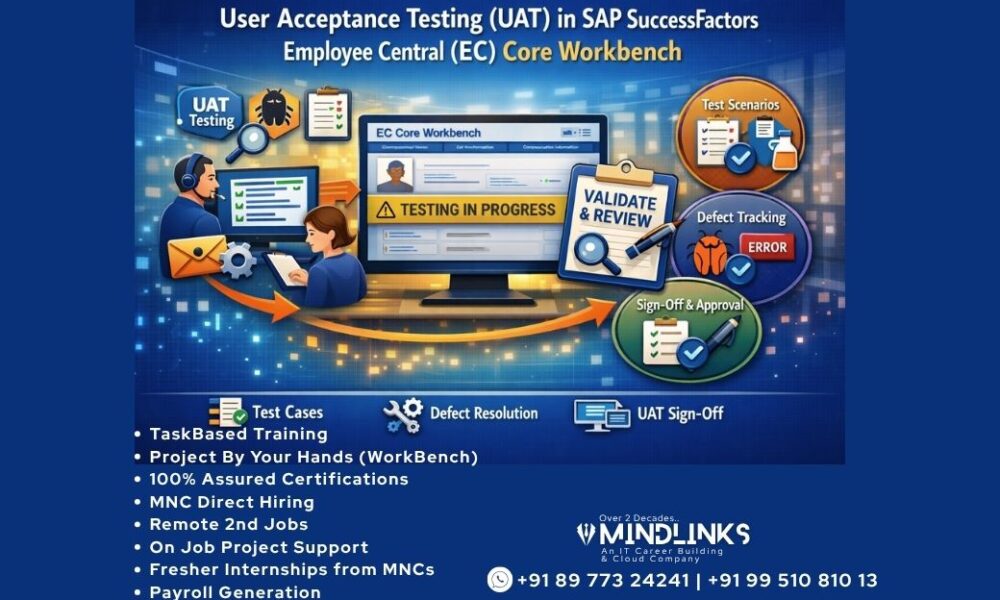
User Acceptance Testing (UAT) in SAP SuccessFactors Employee Central (EC) Core Workbench
User Acceptance Testing (UAT) is one of the most important phases in the implementation and deployment lifecycle of SAP SuccessFactors Employee Central (EC) Core Workbench. It serves as the final validation stage before the system moves into production and becomes available to end users. The primary goal of UAT is to confirm that configured business processes, workflows, and employee data management activities work according to business expectations and project requirements.
In SAP SuccessFactors Employee Central projects, organizations invest significant time in gathering requirements, configuring solutions, migrating employee data, and validating integrations. UAT ensures that all these activities deliver the intended business outcomes. Unlike technical testing, UAT focuses on business usability, process accuracy, and real-world operational readiness.
What is User Acceptance Testing (UAT)?
User Acceptance Testing is a structured testing activity performed by business users, HR teams, process owners, and stakeholders to validate whether the configured Employee Central system supports day-to-day business operations.
The testing process verifies that:
- Business requirements are implemented correctly
- Employee transactions execute successfully
- Workflows function properly
- Employee data remains accurate
- Security permissions work as expected
- Reports and integrations provide expected results
The final decision to approve deployment into production usually depends on successful completion of UAT.
Importance of UAT in SAP EC Core Workbench
Employee Central manages sensitive employee and organizational data. Any configuration issue can directly impact HR operations and employee experience.
UAT provides several benefits:
Business Validation
Ensures configured business processes align with organizational requirements.
Risk Reduction
Identifies defects before production deployment.
Improved User Confidence
Allows business users to experience the system before go-live.
Process Verification
Confirms end-to-end employee lifecycle processes function correctly.
Data Accuracy
Ensures employee records and organizational structures remain consistent.
Objectives of UAT
The major objectives include:
- Validate Employee Central business processes
- Confirm employee data accuracy
- Test integrations and workflows
- Verify security roles and permissions
- Ensure smooth end-user experience
- Identify and resolve defects
- Obtain final business approval
UAT Lifecycle in SAP SuccessFactors EC Core Workbench
1. Requirement Review
The project team reviews business requirements and configuration documents.
Activities:
- Requirement validation
- Scope confirmation
- Process alignment
- Stakeholder approval
Deliverables:
- Requirement Traceability Matrix
- Business Process Documentation
2. UAT Planning
A structured testing plan is prepared.
Planning includes:
- UAT timelines
- Test scenarios
- Roles and responsibilities
- Entry and exit criteria
- Risk assessment
Deliverables:
- UAT Strategy
- Test Schedule
3. Test Scenario Preparation
Business scenarios are converted into executable test cases.
Examples:
Employee Management:
- New Hire
- Transfer
- Promotion
- Termination
Organization Management:
- Department creation
- Position updates
- Legal entity changes
Security Testing:
- Permission validation
- Workflow approvals
4. Test Data Preparation
Testing requires realistic employee and organizational data.
Data includes:
- Employee master data
- Job information
- Compensation records
- Foundation objects
- Position structures
Data preparation activities:
- Data cleansing
- Import validation
- Sample employee creation
5. UAT Environment Setup
The testing environment should replicate production.
Environment preparation includes:
- System configuration migration
- Security setup
- Workflow configuration
- Integration readiness
The environment should remain stable during testing.
Key UAT Scenarios in SAP EC Core Workbench
Employee Hire Process
Validate:
- New employee creation
- Workflow approval
- Employee profile generation
- Position assignment
Expected Outcome:
Employee record should be successfully created.
Employee Transfer
Validate:
- Department updates
- Manager changes
- Position movement
Expected Outcome:
Changes should reflect accurately.
Employee Promotion
Validate:
- Job changes
- Compensation updates
- Approval routing
Expected Outcome:
Employee records update successfully.
Employee Termination
Validate:
- End date processing
- Workflow completion
- Reporting updates
Expected Outcome:
Termination completes without errors.
Workflow Testing in UAT
Workflow validation is a major UAT activity.
Areas tested:
- Approval routing
- Escalation rules
- Dynamic workflows
- Notifications
Example:
Employee Transfer
→ Manager Approval
→ HR Approval
→ System Update
Role-Based Permission (RBP) Testing
Security testing ensures users access only authorized data.
Testing includes:
Role Validation
Verify assigned permissions.
User Access Testing
Validate visibility.
Data Security Testing
Ensure restricted access.
Example:
HR users can edit employee records while employees only view personal information.
Integration Testing During UAT
Employee Central often integrates with multiple systems.
Typical integrations:
- Payroll Systems
- Recruiting Modules
- Learning Management
- Time Management
Validation areas:
- Data transfer accuracy
- Scheduled jobs
- Interface monitoring
Defect Management Process
Defects identified during UAT should be tracked.
Defect categories:
Critical
System unusable.
High
Major process impact.
Medium
Partial functionality issue.
Low
Minor corrections.
Defect lifecycle:
Raise → Analyze → Fix → Retest → Close
UAT Entry Criteria
Before UAT begins:
- Configuration completed
- Unit testing completed
- Data migrated
- Environment prepared
- Test cases approved
UAT Exit Criteria
Testing concludes when:
- All scenarios executed
- Critical defects resolved
- Business approval obtained
- Documentation completed
Roles and Responsibilities
Project Manager
- Monitor progress
- Manage communication
Functional Consultant
- Support business users
- Resolve issues
Business Users
- Execute testing
Technical Team
- Fix defects
HR Stakeholders
- Final approval
Common Challenges in UAT
Incomplete Test Cases
Can lead to missed defects.
Poor Data Quality
Impacts testing accuracy.
Limited User Participation
Reduces business validation.
Environment Instability
Causes inconsistent results.
Requirement Gaps
Create deployment risks.
Best Practices for Successful UAT
Involve Business Early
Engage users from planning stage.
Use Realistic Data
Test with production-like scenarios.
Track Defects Efficiently
Maintain centralized issue logs.
Prioritize Critical Processes
Focus on employee lifecycle events.
Conduct Retesting
Verify fixes thoroughly.
Maintain Documentation
Capture approvals and results.
UAT Deliverables
Typical deliverables include:
- UAT Plan
- Test Scenarios
- Test Cases
- Execution Reports
- Defect Logs
- Sign-Off Documents
Real-Time Project Example
A company implementing SAP SuccessFactors Employee Central configured employee lifecycle processes and organization structures.
During UAT:
- HR validated hiring scenarios
- Managers tested approvals
- Employees verified self-service access
- Technical teams monitored integrations
Issues found:
- Incorrect workflow routing
- Missing permissions
- Data import inconsistencies
After corrections and retesting, stakeholders approved production deployment.
UAT Sign-Off Process
The final stage includes:
- Test completion review
- Defect closure verification
- Business acceptance
- Production readiness approval
Once signed off, the system is approved for deployment.
User Acceptance Testing (UAT) in SAP SuccessFactors Employee Central Core Workbench is a critical phase that bridges configuration and real business operations. It ensures that employee processes, workflows, security controls, and integrations function exactly as intended before production release.
A successful UAT process minimizes business risks, improves user adoption, increases system reliability, and builds confidence among stakeholders. By following structured planning, realistic testing scenarios, and proper defect management practices, organizations can achieve smooth implementation and long-term success with SAP SuccessFactors Employee Central.